



Wedding Brochures - Bi-fold
5.0

Description
Discover our Bi-fold Wedding Brochures, a timeless and elegant way to share the details of your special day. Perfect for welcoming guests and presenting important information, these brochures offer a clean, modern format that balances simplicity with style. Whether you are sharing your love story, ceremony schedule, venue details, or a heartfelt message, Bi-fold Wedding Brochures help you communicate it beautifully.
Key Features:
- Customisation: Personalise your brochure to match your wedding theme and colour palette, creating a cohesive look that complements your stationery and décor.
- Versatility: Choose from A5 folded to A6, A4 folded to A5, A3 folded to A4, or DL bi-fold (198 × 210 mm folded to 99 × 210 mm). Each option provides a compact design that is easy for guests to handle while allowing space for clear, elegant layouts.
- Paper Options: Available in 200 gsm Silk or 350 gsm Silk for a smooth, premium finish, or 350 gsm Laminated for added durability and a refined feel that lasts.
Ideal for ceremony programmes, welcome packs, or wedding information leaflets, our Bi-fold Wedding Brochures combine elegance and practicality, making them a meaningful addition to your celebration.
Need prints fast? Get your brochures in as little as 4 hours!
- Same/Next Day – Ready for collection or dispatch within 24 hours.
- 4-Hour Express – Fast-track service for urgent jobs. Not laminated.
Size Guide

Size Guide
Paper Sizes and Measurements
| Paper Size | Millimeters | Inches |
| A0 | 841 × 1189 mm | 33.1 × 46.8 in |
| A1 | 594 × 841 mm | 23.4 × 33.1 in |
| A2 | 420 × 594 mm | 16.5 × 23.4 in |
| A3 | 297 × 420 mm | 11.7 × 16.5 in |
| A4 | 210 × 297 mm | 8.3 × 11.7 in |
| A5 | 148 × 210 mm | 5.8 × 8.3 in |
| A6 | 105 × 148 mm | 4.1 × 5.8 in |
| A7 | 74 × 105 mm | 2.9 × 4.1 in |
| Business Card | 85 × 55 mm | 3.3 × 2.2 in |
| DL | 99 × 210 mm | 3.9 × 8.2 in |
Envelope Sizes and Measurements
| Envelope Size | Millimeters | Inches |
| C3 | 324 × 458 mm | 12.8 × 18 in |
| C4 | 229 × 324 mm | 9 × 12.8 in |
| C5 | 162 × 229 mm | 6.4 × 9 in |
| C6 | 114 × 162 mm | 4.5 × 6.4 in |
| C7 | 81 × 114 mm | 3.2 × 4.5 in |
| DL | 110 × 220 mm | 4.3 × 8.7 in |
T-Shirts Size Chart
Print File Guidelines
Print File Guidelines
To ensure your designs are perfect for printing, understanding the concepts of Safe Area, Print Size Area, and Bleed Area is essential for creating "Print Ready Files." When uploading your files via our website for every order, the Safe Area guarantees that key content is visible, the Print Area outlines the actual size and cutting zone of your product, and the Bleed Area extends to the outermost cut line, allowing backgrounds to reach the edges of your product. This approach avoids white edges for a sleek, professional finish. Position important elements wisely and extend backgrounds as needed for the best printed outcome.
Please ensure your PDF files are locked/rasterized, all fonts are converted to outlines, and the colour mode is set to CMYK — failure to follow these guidelines may result in missing or incorrect images/logos, colour mismatches, font issues or missing text; reprints due to such errors will incur a full-price re-charge
Please ensure your PDF files are locked/rasterized, all fonts are converted to outlines, and the colour mode is set to CMYK — failure to follow these guidelines may result in missing or incorrect images/logos, colour mismatches, font issues or missing text; reprints due to such errors will incur a full-price re-charge
AI-Generated Images & Files
AI-generated images can vary significantly in quality and resolution. To ensure professional print results, files should be supplied at a minimum of 300 DPI at the intended print size. When using AI image generators, we strongly recommend generating the largest and most detailed version available. It is the customer's responsibility to review all AI-generated files before ordering. Prints produced from low-resolution, blurred, pixelated, distorted, or insufficiently detailed files may not achieve the expected print quality and will not qualify for a free reprint.
What is the Safe Area?
All content within the Safe Area is guaranteed to appear on your printed product. Content outside this area may be cut off during the trimming process. For best results, keep text and important elements of your photos, logos, and designs within the Safe Area. We recommend 5mm of safe area from each edge of the Print Area for Logos/Borders/Text.
What is the Print Size Area?
The Print Size Area is the space between the Safe Area and the product edges. This area defines the actual size of your product and where it will be cut after printing. For optimal outcomes, ensure that all important content is not located in this area and that the background colors/artwork extend beyond this area.
Please note: Due to the nature of digital printing and batch cutting processes, final products may have a slight cutting tolerance of approximately 1-3 mm.
Please note: Due to the nature of digital printing and batch cutting processes, final products may have a slight cutting tolerance of approximately 1-3 mm.
What is the Bleed Area?
The Bleed Area marks the outermost point to which your product could be cut. Background colors or images that extend completely to this line are referred to as full bleed. Full bleed ensures that your background will print to the very edge of your product. We recommend a minimum of 3 mm bleed on the sides and top/bottom of your files. White edges occur when the background does not extend to the bleed line.
Why is it necessary to outline a font?
Outlining fonts for printing ensures consistency, avoids licensing issues, enhances file compatibility, and can reduce file size. It converts text into graphics, ensuring the design appears as intended across all systems and printers, maintaining design integrity and quality in printed materials. This step is crucial for achieving professional-quality prints and customer satisfaction.
Safe Area
-5mm each side
-5mm each side
Print Size
Area
Area
Bleed Area
+3mm each side
+3mm each side
Print File Guidelines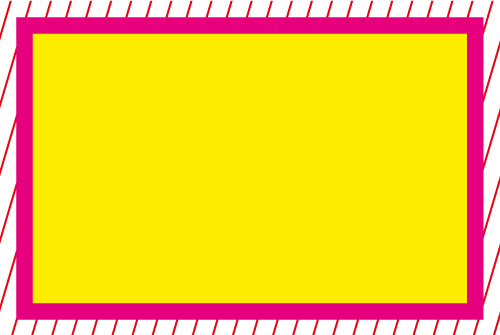
Personalised Gifts

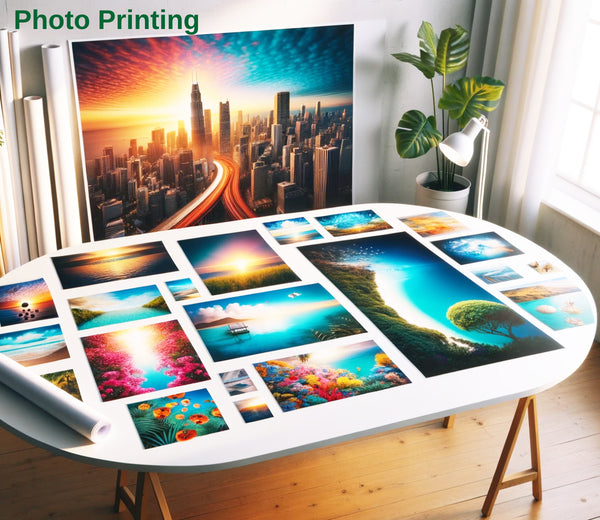
Photo Printing
€12,20


Personalised Golf Balls
€50,00


Personalised Pens
€55,00


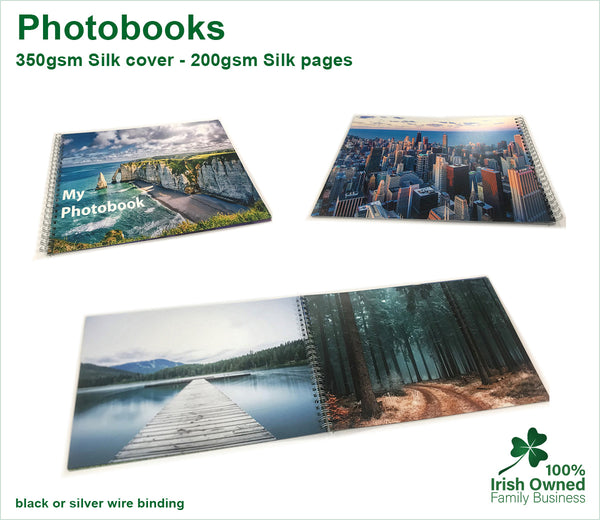
Photobooks
€34,55

Personalised Mugs
€7,28

Personalised Heat Mugs
€10,53